AI coding toolkit that already knows your intent.
70 specialist AI agents · 196 skills · 103 slash commands · MCP server · RTK input compression · Terse output compression · codebase graph across 158 languages. All local. Zero telemetry.
npm i -g kodelyth-eccEvery layer local. Every layer real.
Most "AI agent kits" are folders of markdown files you have to remember the names of. ECC is infrastructure — a layered system where intent routing, compound memory, parallel orchestration, and quality hooks all reinforce each other.
Every layer, illustrated
One diagram per capability — with real numbers from the measured ledger, not marketing estimates.
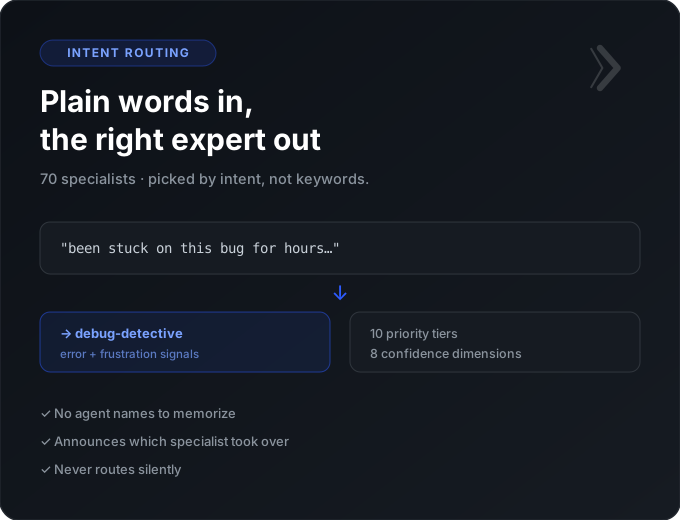
It picks the specialist for you
Describe your problem in plain words. ECC reads the intent behind the message — the error, the frustration, even a pasted stack trace — and routes to the right one of 70 specialist agents, announcing which took over.
- No agent names to memorize
- 10 priority tiers, 8 confidence dimensions
- Transparent — never routes silently
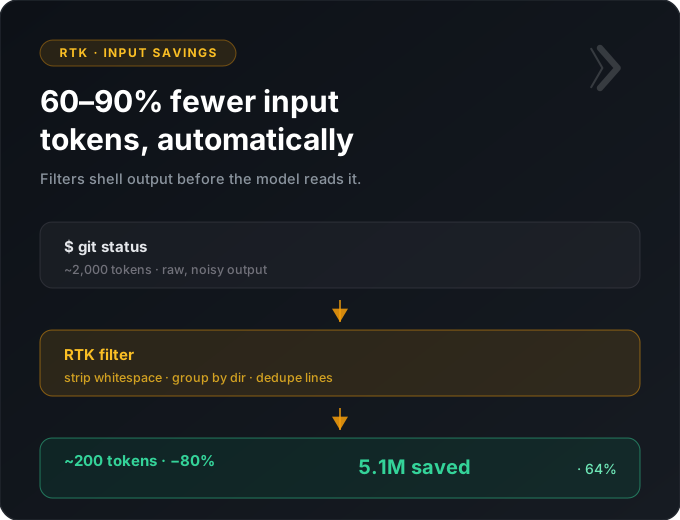
Shell output shrunk before the model reads it
RTK is an auto-installed PreToolUse hook. When your AI runs git status, cargo test, or docker ps, RTK filters the output first — stripping noise, grouping, deduplicating — so only signal reaches the LLM.
- 60–90% fewer input tokens
- 100+ commands supported
- 5.1M tokens saved on the sample ledger (64%)
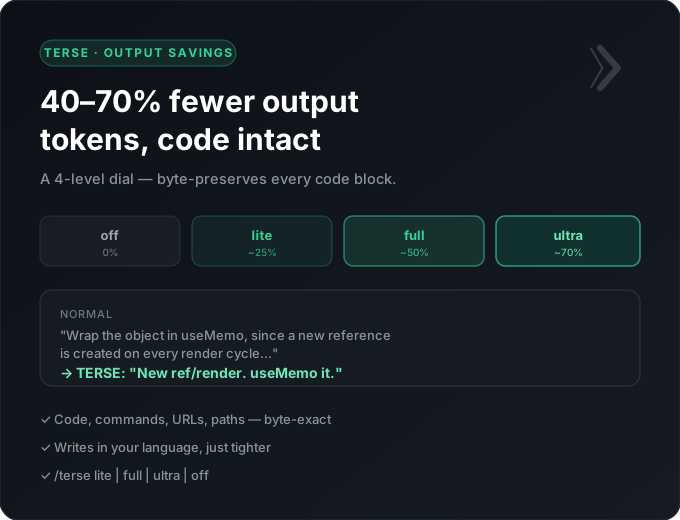
The AI says the same thing in fewer words
A 4-level dial that compresses what the model writes back — dropping filler while byte-preserving every code block, command, URL, and path. Turn it up on familiar work, off when the prose is the deliverable.
- 40–70% fewer output tokens
- lite / full / ultra / off
- Code stays byte-exact
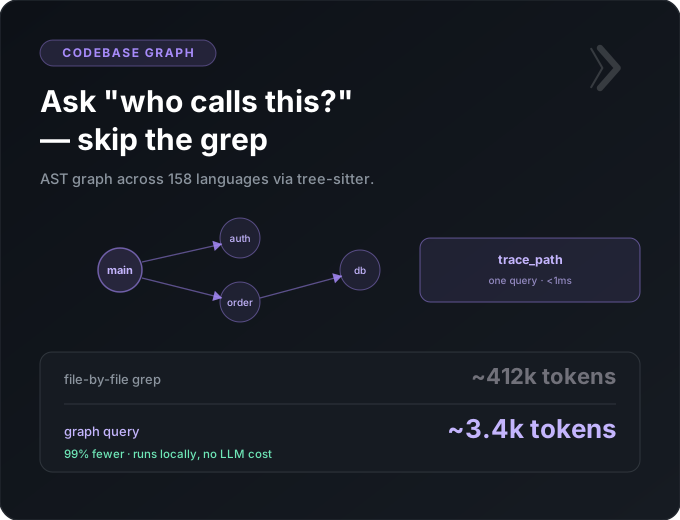
Ask structural questions, skip the grep
An AST knowledge graph across 158 languages via tree-sitter. “Who calls this?” and “what breaks if I change it?” resolve from the graph in one query instead of dozens of file reads.
- ~99% fewer tokens than file-by-file grep
- 158 languages, <1ms queries
- Runs locally, no LLM cost
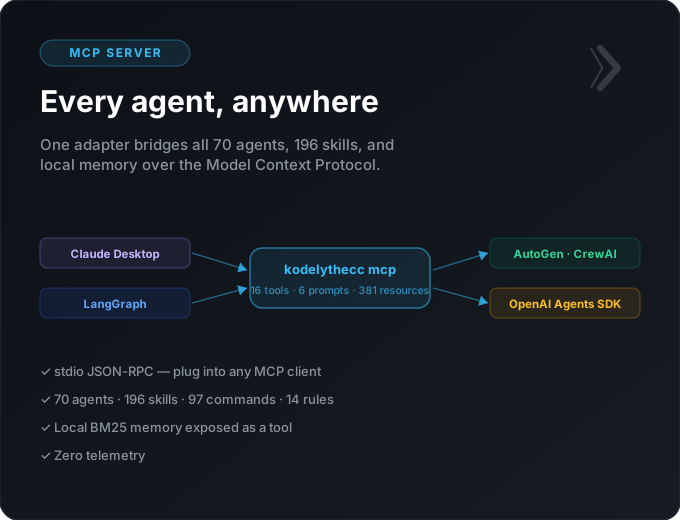
Every agent, anywhere
One universal adapter exposes all 70 agents, 196 skills, and your local memory over the Model Context Protocol — so Claude Desktop, LangGraph, AutoGen, CrewAI, and the OpenAI Agents SDK all speak ECC natively.
- 16 tools · 6 prompts · 381 resources
- stdio JSON-RPC
- Zero telemetry
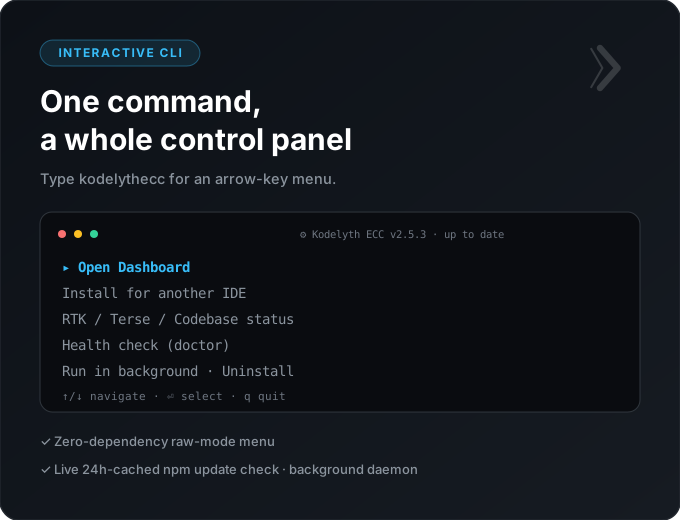
One command, a whole control panel
Type kodelythecc alone for an arrow-key menu: open the dashboard, install for another IDE, check RTK / Terse / Codebase status, run a background daemon, or uninstall — with a live update check baked in.
- Zero dependencies, raw-mode TUI
- 24h-cached npm update check
- Health check + full uninstall built in
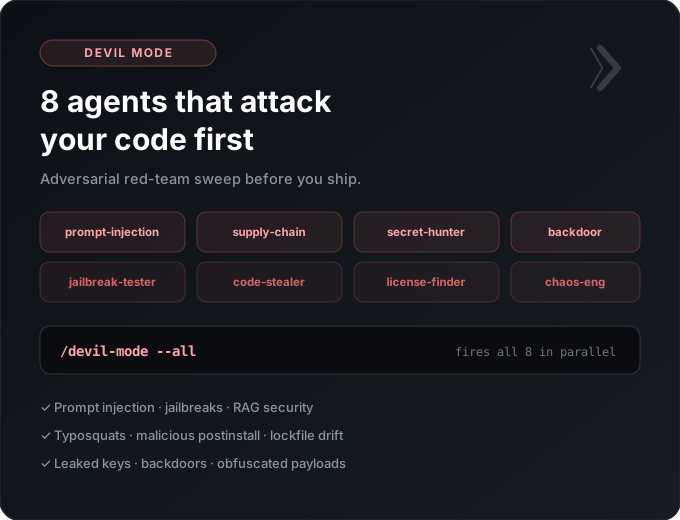
8 agents that attack your code first
A dedicated red-team crew that thinks like an attacker. One command fires all eight in parallel to hunt prompt injections, supply-chain vulns, leaked secrets, and backdoors before you ship — not after.
- Prompt injection · jailbreaks · RAG security
- Typosquats · malicious postinstall · lockfile drift
- Leaked keys · backdoors · obfuscated payloads
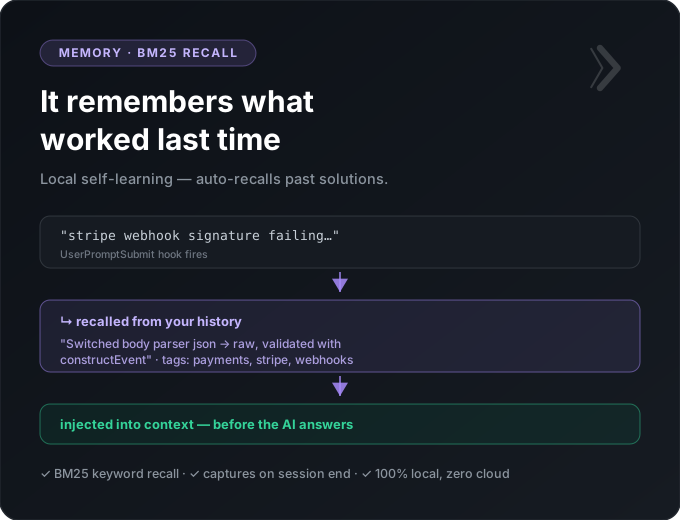
It remembers what worked last time
A local BM25 memory that captures solutions at the end of each session and auto-recalls the relevant one on your next prompt — injecting the past fix into context before the AI even answers. No cloud, no accounts.
- Auto-recall on every UserPromptSubmit
- Captures reusable fixes at session end
- 100% local, zero telemetry
55-65% total token reduction on real coding sessions.
RTK compresses shell command output before it reaches the LLM. Terse mode compresses what the LLM writes back. Two axes, they stack.
How it worksWhat would ECC save you?
Blended 55–70% token reduction: RTK cuts input ~64% (measured), Terse cuts output ~50%, the codebase graph removes grep/read passes. Actual savings depend on your workload — explain-heavy sessions save more, terse debugging saves less. Numbers are estimates, not a guarantee.
One install command, every IDE wired up.












Common questions
Is Kodelyth ECC free?
Yes. Kodelyth ECC is MIT-licensed and free forever. Install it with npm i -g kodelyth-ecc. No account, no subscription, no telemetry.
Does it work with Cursor, Windsurf, and other IDEs?
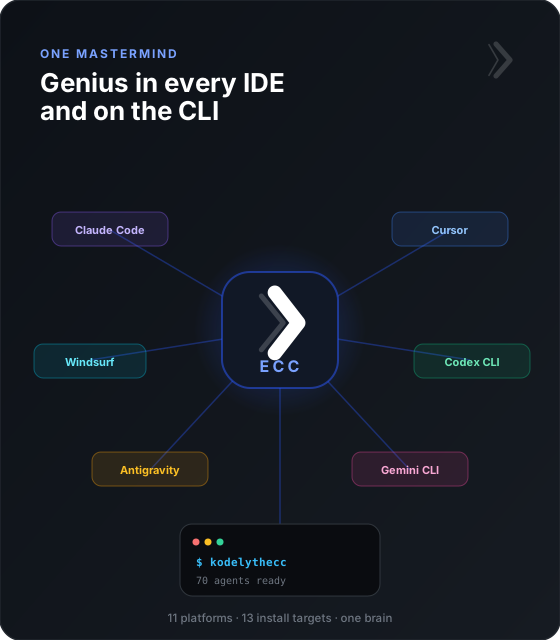
Yes. ECC installs into 11 AI coding platforms including Claude Code, Cursor, Windsurf, Codex CLI, Google Antigravity, OpenCode, Cline, Roo Code, Aider, Kimi, and Gemini CLI — 13 install targets total.
Is my code sent anywhere?
No. Everything runs locally on your machine — agents, skills, memory store, RTK compression, and the codebase graph. Zero telemetry, no cloud calls.
How much does it reduce token usage?
RTK compresses shell-command input by 60-90%, Terse mode compresses AI output by 40-70%, and the codebase graph answers structural queries with ~99% fewer tokens than file-by-file grep. Combined, a typical coding session drops 55-65% in total tokens.
How do I install it?
Run npm i -g kodelyth-ecc then kodelythecc --target claude-code --codebase-graph, and restart your AI tool. One command wires up all 70 agents, the MCP server, RTK, Terse mode, and the codebase graph.
Ready in one command.
MIT · Free forever · No account required · Runs locally on your machine.